Explore Classes
Video Editing Ages 8–10

Online Video Editing Classes for Kids Ages 8–10

Starting at $14 per class, students learn video editing fundamentals including cutting, transitions, and creative effects. Small groups of 4–8 students ensure personalized attention in 40–55 minute sessions.

View FAQ
Video Editing for Ages 8–10
From $14/class
Price
4–8 students
Group Size
40–55 min
Schedule
8–10
Ages

Video Editing Classes for Kids: Creative Skills That Build Confidence

At 8 to 10 years old, kids are natural storytellers—they just need the right tools. Our video editing classes teach real, tangible skills that stick: how to trim clips, layer sounds, add transitions that actually work, and tell a story that keeps people watching. In small groups of 4 to 8 students, your child learns from actual video professionals who know how to break down the technical stuff into bite-sized pieces. At just $14 per 40-55 minute class, you're giving them access to skills that take years to pick up on their own.

This age is the sweet spot for learning editing. Kids can focus long enough to see a project through, they're creative without overthinking it, and they genuinely care about making something cool. We keep classes hands-on and fast-paced—no lectures about theory. Your child will edit real footage, experiment with effects and sound design, and walk away with an actual finished video they made themselves. That's real proof they can do something hard.

The confidence boost is something parents notice right away. When a kid realizes they created something they're proud of, something shareable, something *theirs*—that changes how they see themselves. Video editing gives them a creative outlet and a practical skill that opens doors to other interests down the road. Start with one class and see where it goes.

What Ages 8–10 Learn in Video Editing

Video Cutting & Timeline Basics

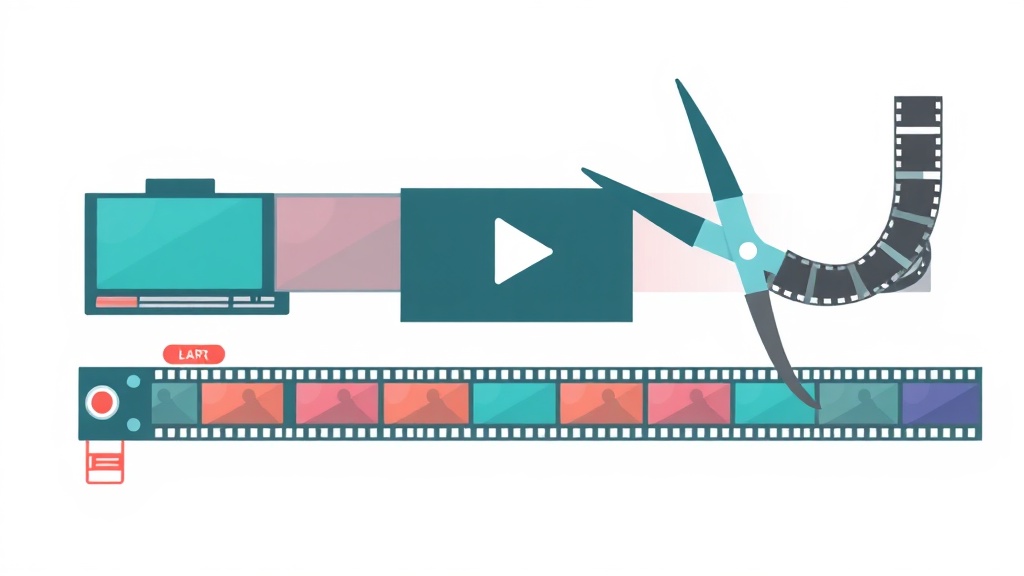
Students master the core skill of cutting and trimming video clips, learning how to arrange footage on a timeline and understand how edit points create a cohesive story. This age group thrives with hands-on mouse and keyboard practice that builds digital literacy.

Transitions & Pacing

Kids explore how transitions (fades, wipes, dissolves) connect scenes and control the rhythm of their videos. They'll discover that pacing—how long clips stay on screen—affects whether an audience feels excited or bored.

Titles, Text & Lower Thirds

Students add professional-looking text elements to their videos, from opening titles to name graphics. This teaches them how text guides viewers' attention and adds information without extra footage.

Sound & Music Integration

Kids learn to layer audio, adjust volume levels, and pair music with their edits to create mood and enhance storytelling. Understanding sound as a separate editing layer is age-appropriate and opens creative possibilities.

Recommended Video Editing Classes for Ages 8–10

Beginner

Video Editing Basics with CapCut

9-13 14 4.8
Popular

YouTube Content Creator Course

11-16 16 4.9
Advanced

Advanced Editing with DaVinci Resolve

13-17 18 4.7

Why Ages 8–10 Is a Great Time for Video Editing

Third through fifth graders are developing stronger fine motor control and sustained focus—exactly what video editing requires. At this age, students can follow multi-step instructions and understand cause-and-effect relationships, making them ready to grasp how individual edits combine to create a final product. They're also naturally drawn to visual storytelling through YouTube, TikTok, and gaming, so editing taps into media they already consume and want to create.

Emotionally and socially, 8–10 year-olds are building confidence in digital spaces and gaining independence in their learning. Video editing provides immediate, visible rewards—they press a button and see a transition happen, or add music and feel the emotional shift—which keeps them engaged and motivated. Collaborative work in small groups of 4–8 students helps them learn from peers, share ideas, and develop digital citizenship skills they'll use throughout their lives.

"My daughter went from watching YouTube all day to actually CREATING animations. Best investment ever."
Sarah M.
Parent of 12-year-old

Video Editing for Ages 8–10 FAQ

What software do you use for video editing classes?
We use beginner-friendly, kid-safe editing software designed for this age group, such as iMovie, DaVinci Resolve (free version), or similar intuitive platforms. The software is accessible on most computers and focuses on core editing skills rather than overwhelming students with advanced features.
Do kids need their own video footage to start, or do you provide clips?
We provide starter clips and royalty-free media so students can begin editing immediately in their first class. As they progress, kids can bring their own phone videos or footage they've filmed, which makes the project more personal and motivating.
How long does it take a child to complete their first edited video?
Most students finish a short, simple video (30–60 seconds) within 2–3 classes. This gives them a sense of accomplishment early on. As they learn more techniques, their projects become longer and more complex.
Will my child be able to export and share their finished videos?
Yes! By the end of each project, students learn to export their videos in standard formats they can share with family, upload to private channels, or save to their devices. We emphasize safe, appropriate sharing practices for this age group.
Maria Santos

Maria Santos

Head of Creative Arts
Maria leads our art, animation and design programs with 11 years in creative education. She previously worked as an animator at a major studio and taught digital arts at Pratt Institute. She's passionate about helping kids find their creative voice through art and technology.
View full profile →

Start Video Editing Classes Today

Join small-group video editing classes designed for ages 8–10.

Browse Classes