Choose live online classes when your child needs conversation, a scheduled appointment or help during a task. Consider self-paced lessons when flexible timing and replaying demonstrations matter more, provided there is a clear way to get help. Neither label tells you how well a course is taught. The useful question is what happens when your child gets stuck.
This guide compares the two formats, not individual schools. The decision matrix, family scenarios and trial plan below are editorial planning tools, not results of a comparative study. They are designed for parents considering enrichment for children and teens ages 5-17; suitability still depends on the specific class and learner.
What Live and Self-Paced Actually Mean
A live class has a scheduled meeting with an instructor. A self-paced class lets a learner work through material without attending the same lesson at a fixed time. Some programs combine both.
For a concrete provider example, Outschool describes its live classes as scheduled video meetings and its self-paced classes as prerecorded lessons with asynchronous teacher communication. That is the provider’s format description, not a rule that all online schools follow.
The most important distinction is therefore when interaction happens, not whether a teacher exists. A video library with no support is different from a self-paced course in which an instructor comments on submitted work.
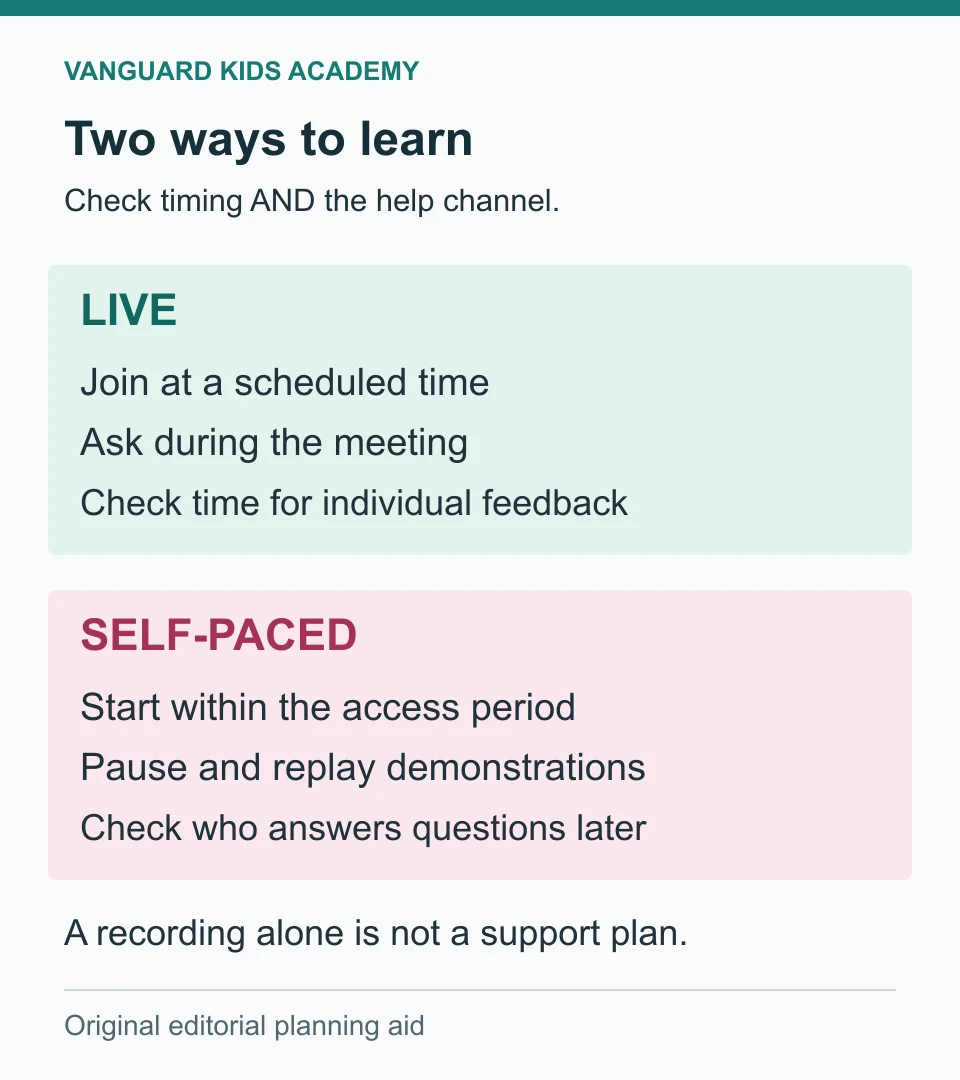
Compare the Parts That Affect Your Week
Use this table while reading a course listing. Treat entries as questions to investigate rather than promises about every program.
| Decision point | Live format: check this | Self-paced format: check this |
|---|---|---|
| Scheduling | Meeting time, time zone and absence policy | Access deadline, release schedule and any due dates |
| Questions | Whether learners can ask during the lesson | Who answers, through which channel and how soon |
| Feedback | Whether the instructor sees each learner’s work | Whether feedback is individual or automated |
| Repetition | Whether recordings or recap materials exist | Whether demonstrations can be replayed during access |
| Peer contact | Class size and actual discussion time | Whether there are moderated discussions or shared projects |
| Parent involvement | Help joining, preparing materials and troubleshooting | Help starting, organizing work and requesting support |
| Progress | What the child should create or explain | How understanding is checked beyond watching videos |
Do not assume self-paced means unlimited access, immediate teacher replies or no deadlines. Equally, do not assume that a live class includes recordings, personal coaching or guaranteed time to speak. Get the answer for the specific course before enrolling.
A Three-Question Decision Matrix
Start with one learning goal: for example, drawing a character, building a simple game or practicing a short speech. Then work through these questions with your child.
- Does the goal depend on another person responding now? Conversation, debate and collaborative improvisation need some form of interaction. A live meeting may be a useful starting point, but check that the class actually includes participation rather than a long presentation.
- Can the family reliably attend the advertised time? If not, a high-quality live class may still be the wrong purchase. Look for a different session, a self-paced option with suitable support, or a short recorded introduction before committing.
- Can the child restart after a pause without repeated adult prompting? If not, plan a parent check-in or a scheduled learning appointment. A flexible format can still need structure; a live appointment does not automatically solve motivation either.
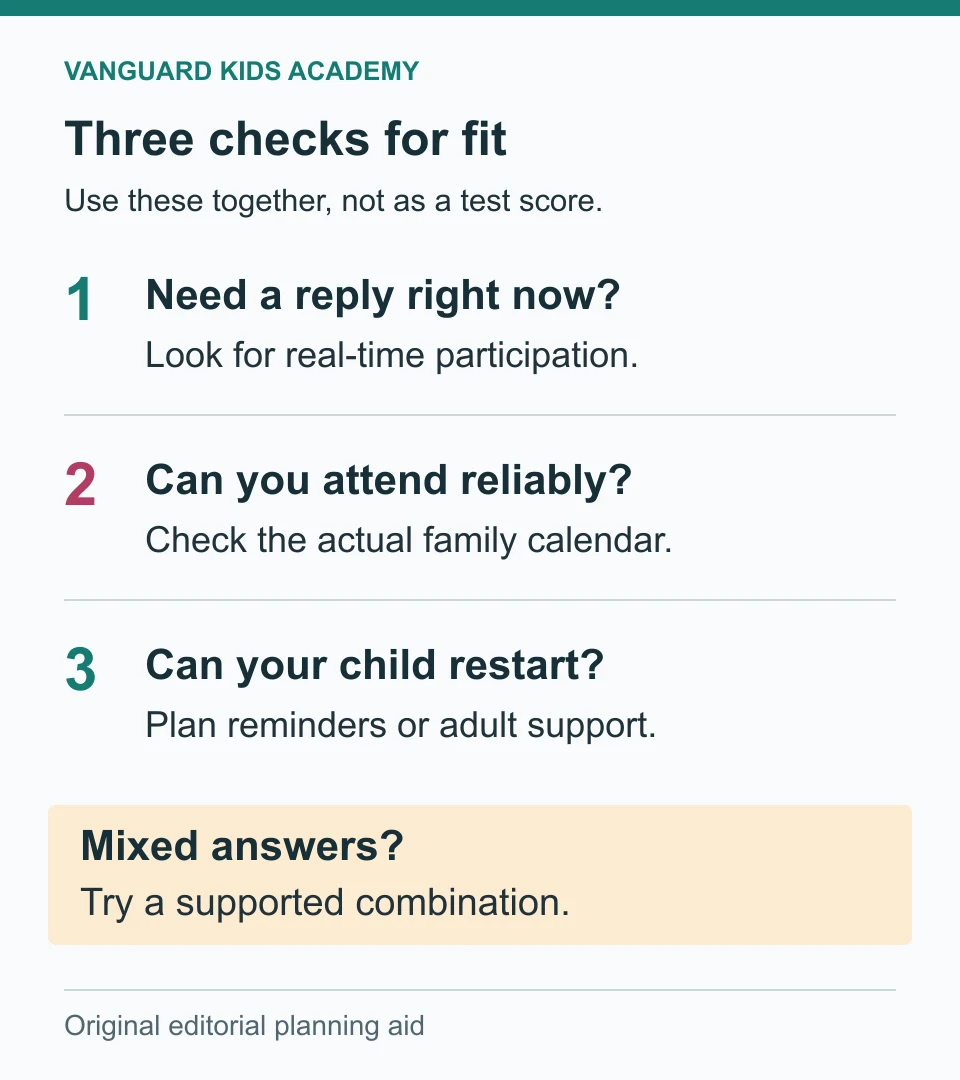
If your answers point in different directions, try a hybrid plan: a scheduled lesson for questions and interaction, plus short independent practice between meetings. Do not pay for two full courses simply to create this arrangement. Ask what practice and support are already included.
Four Family Scenarios to Make the Choice Concrete
A younger child exploring drawing. The child wants to draw but cannot yet manage the lesson controls alone. A short demonstration that can be paused might work with an adult beside them. A live session might work if the pace is suitable and materials are ready. Test the actual activity rather than deciding from age alone. Our drawing classes cover a broad age range; check the selected group’s requirements.
A child learning to code who stops at errors. Replaying a tutorial can help repeat a step, but it will not necessarily explain why a different error appeared. Ask whether the teacher can inspect the child’s project. Compare that support with the family’s available time, not just the advertised lesson length. The coding class overview is a starting point for checking subject fit, not a promise of a particular support policy.
A teen practicing a presentation. Recording and reviewing a speech can be useful independent practice. If the goal is answering unexpected questions, the plan also needs an audience or teacher response. For public speaking classes, check how much time each learner spends speaking and receiving feedback. The academy’s subject range is ages 8-17; this example specifically concerns teens.
A family whose weekly schedule changes. A fixed lesson may be difficult even when everyone likes the teacher. A self-paced course may be easier to schedule, but only if its support window and access period match the family’s plans. Write the proposed learning times into your calendar before purchasing.
These are illustrative scenarios, not reports about identifiable students or guaranteed outcomes.
Try a Format for One Week, Not Forever
Choose an available sample, trial or small commitment only after checking its price and cancellation terms. Free trials are not universal. Keep the subject and difficulty reasonably similar if you compare formats; otherwise you may be comparing two topics rather than two ways of learning.
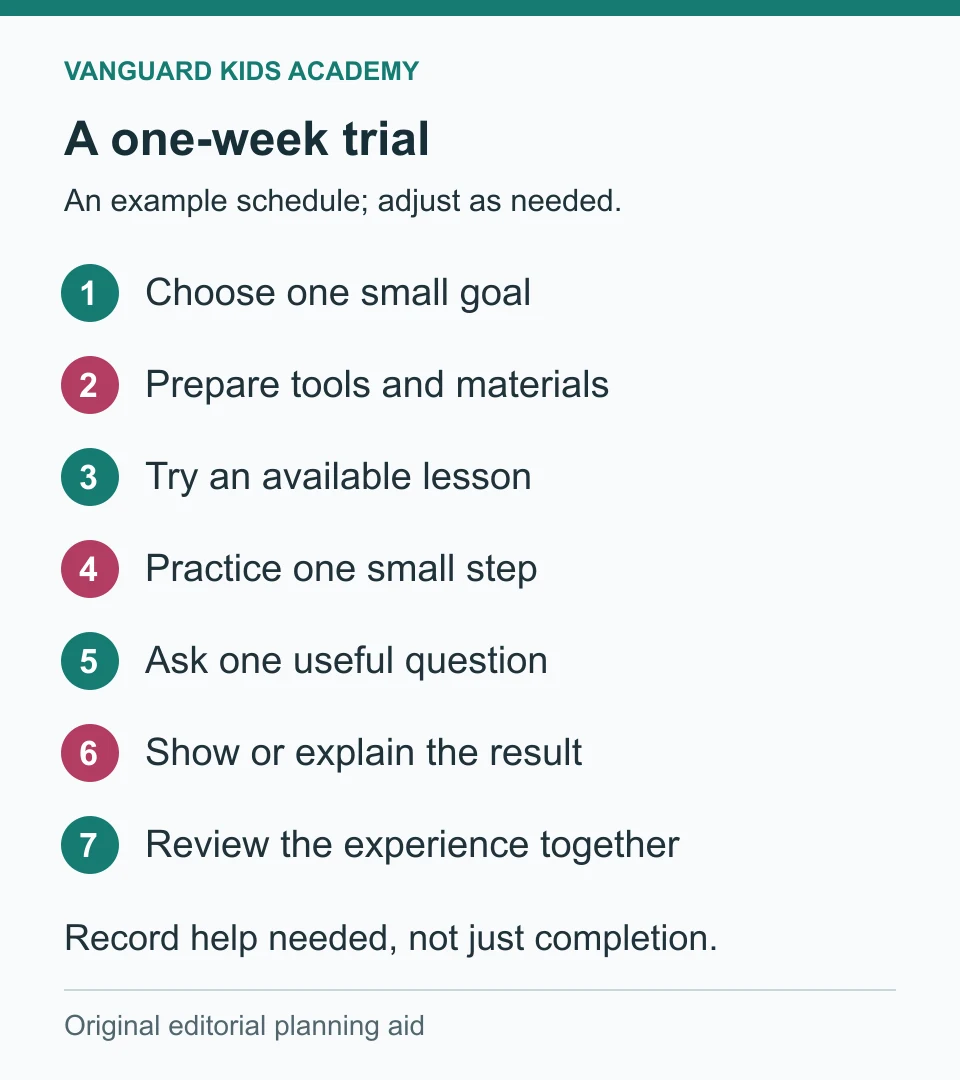
During the week, make brief notes rather than rating your child. This five-line record is enough:
| Observation | What to write down |
|---|---|
| Getting started | What help was needed to open and begin the activity? |
| A difficult moment | What happened, and how did the child get unstuck? |
| Adult support | What did an adult actually have to do? |
| A visible result | What can the child now show, explain or attempt? |
| The child’s view | What would they keep or change next time? |
At the end, ask, “Would you want another lesson like this?” and “What would make it easier to continue?” A finished worksheet alone does not explain whether the format fits. Neither does one frustrating technical problem. Separate difficulties with joining the platform, understanding the topic and getting appropriate help.
If participation causes distress or a course repeatedly fails to provide its promised support, do not keep extending the experiment just to complete the week. Contact the provider, review your options and choose an appropriate next step for your family.
Ask These Questions Before Paying
An exact answer is more useful than a claim such as “fully interactive” or “learn independently.” Save the course description and the answers you receive.
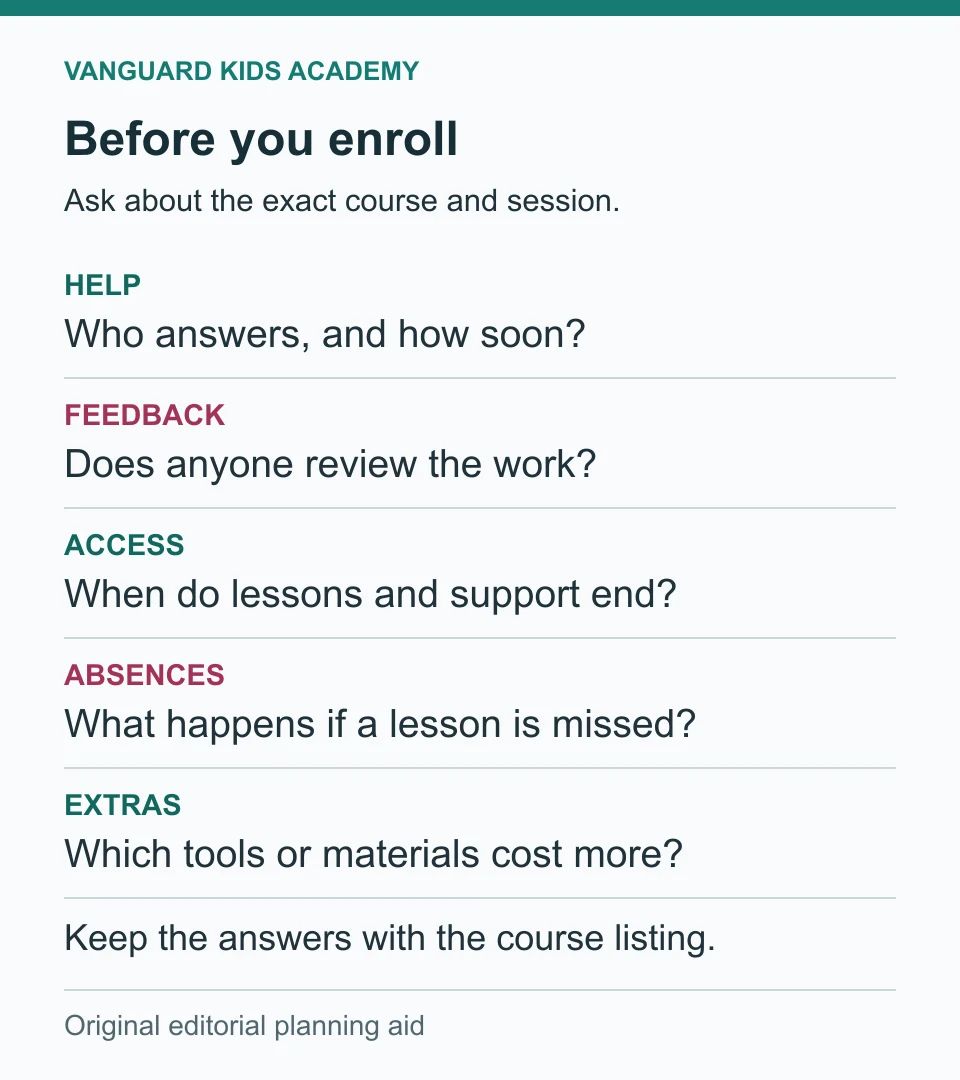
- Who helps with a question, and when? Request a typical response window and find out whether help covers a child’s own project or only the lesson instructions.
- What feedback is included? Ask whether the child submits work, receives individual comments or only sees an automatic completion result.
- When do access and teacher support end? They may be different dates. For example, Outschool’s self-paced guidance distinguishes access to lesson content from the period of teacher support. Do not apply that provider’s terms to other schools.
- What happens after an absence or a change of plan? Check rescheduling, refunds and recording availability. Do not assume a replay replaces interaction that was missed.
- Which tools and materials are extra? Check device compatibility, software accounts, age restrictions, supplies and any additional cost. Read our online class safety guide for a separate privacy checklist.
Common Questions
Are live online classes always better for younger children?
No format is automatically best for an entire age group. Look at the activity, session pace, instructions, adult support and the child’s response. A supported recorded activity can be workable; an unsuitable live lesson can still be difficult. Check the actual course’s age range rather than relying on a general rule.
Does self-paced mean the child learns alone?
Not necessarily. It describes scheduling, not the full support arrangement. A course may include teacher messages, work reviews or peer discussion, or it may provide content without those features. Verify the listing.
Can we combine live classes and recorded lessons?
Yes, if the combination serves a clear goal and fits your schedule. For example, a recorded demonstration can support practice before a live feedback session. Make sure the materials are compatible and avoid adding unnecessary subscriptions.
Which format is cheaper?
Compare actual offers, not labels. Include teaching time, feedback, access duration, materials and software. A low price is not good value if the format requires more parent help than your family can provide. This guide does not claim one format is universally less expensive.
Choose the Support, Not Just the Screen
The strongest starting choice is the one that fits a real weekly slot, gives your child an appropriate way to ask for help and produces something they can show or explain. Use the trial record to adjust the plan instead of treating the first decision as permanent.
For a broader checklist covering interests, instructor fit and family logistics, continue with how to choose an online class. This article’s narrower job is to help you decide when interaction and independent work should happen.
Sources and Editorial Notes
Provider format descriptions were checked on October 27, 2026: Outschool class formats and self-paced classes for families. Provider policies can change; confirm the selected course before purchasing. The comparison prompts, trial schedule and four diagrams are original editorial planning aids, not research findings or photographs of academy students.